






Getting Started
How to Install and Set Up the Spectra Shopify Theme?
Setting up your Spectra theme is a straightforward process. Follow the steps below to get started:
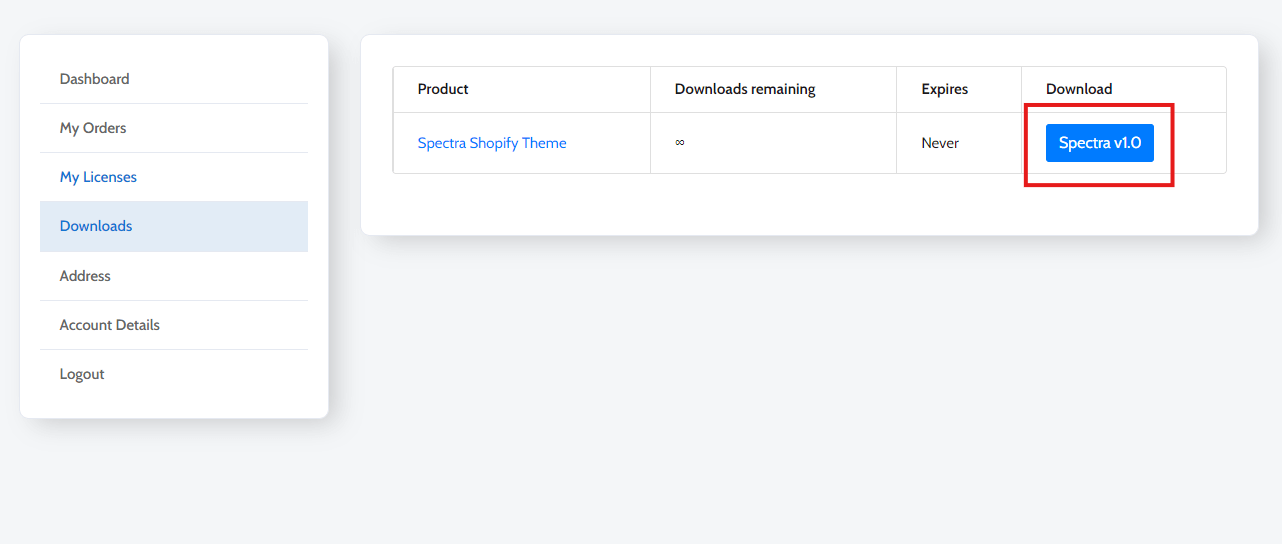
1. Download the Spectra Theme: Once you’ve purchased the Spectra theme, download the .zip file from the purchase confirmation email or from your account on our website.
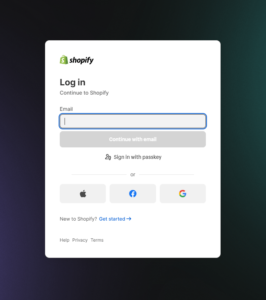
2. Log into Your Shopify Admin: In your Shopify dashboard, navigate to Online Store > Themes.
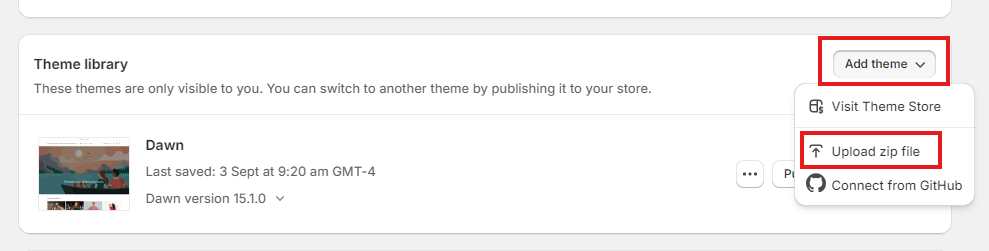
3. Upload the Theme:
- Click the Upload Theme button.
- Choose the Spectra .zip file from your computer and click Upload.
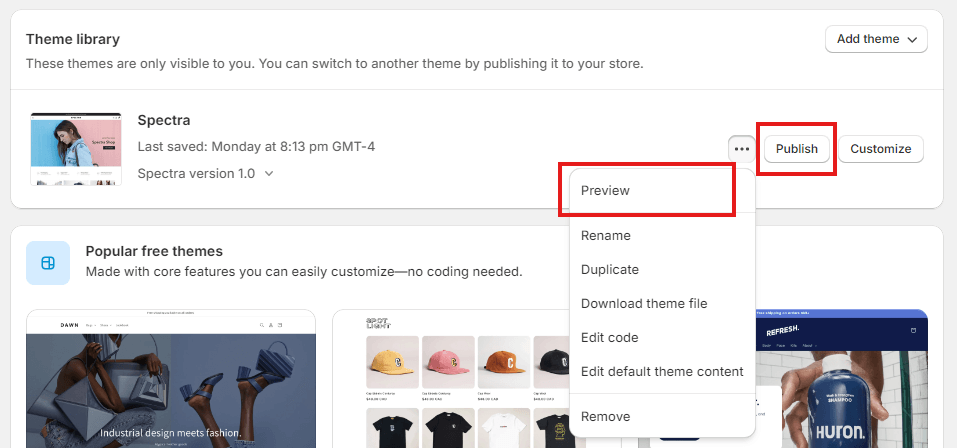
4. Publish the Theme:
Once the theme has been uploaded, click Actions > Publish to make it live on your store.
Preview the theme before publishing to ensure everything looks right.
5. License Activation:
- After installation, click to customize the theme and navigate to Theme Settings in the Shopify customizer.
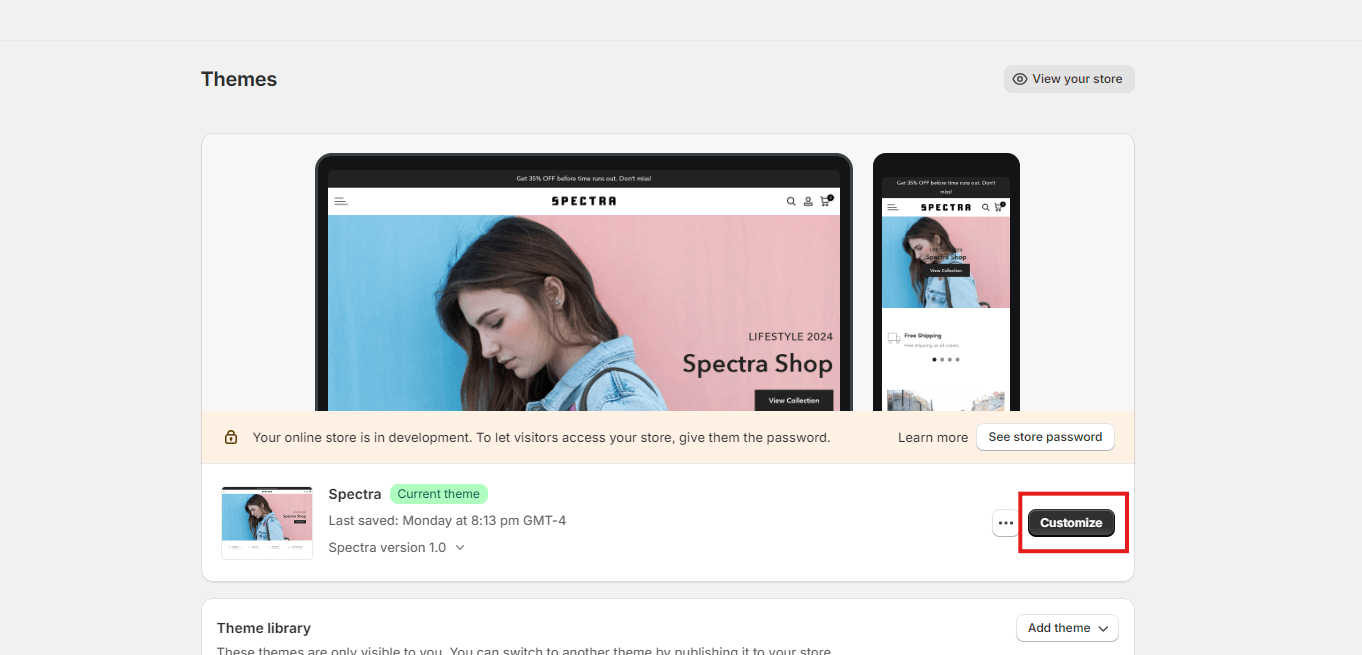
- Click the Licence Activation Tab at left side of Theme Customizer.
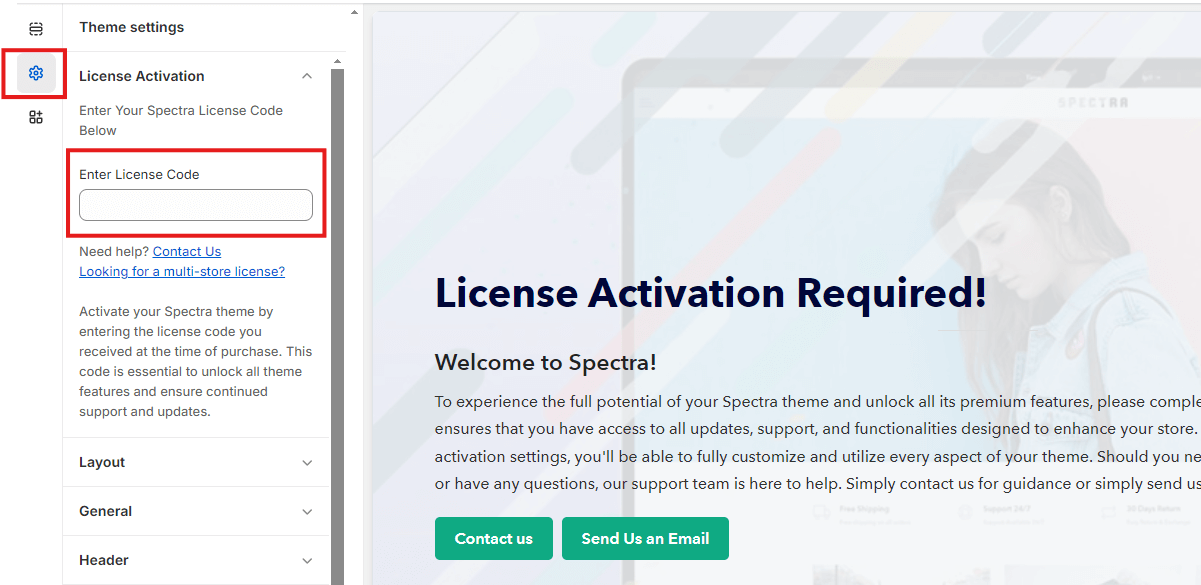
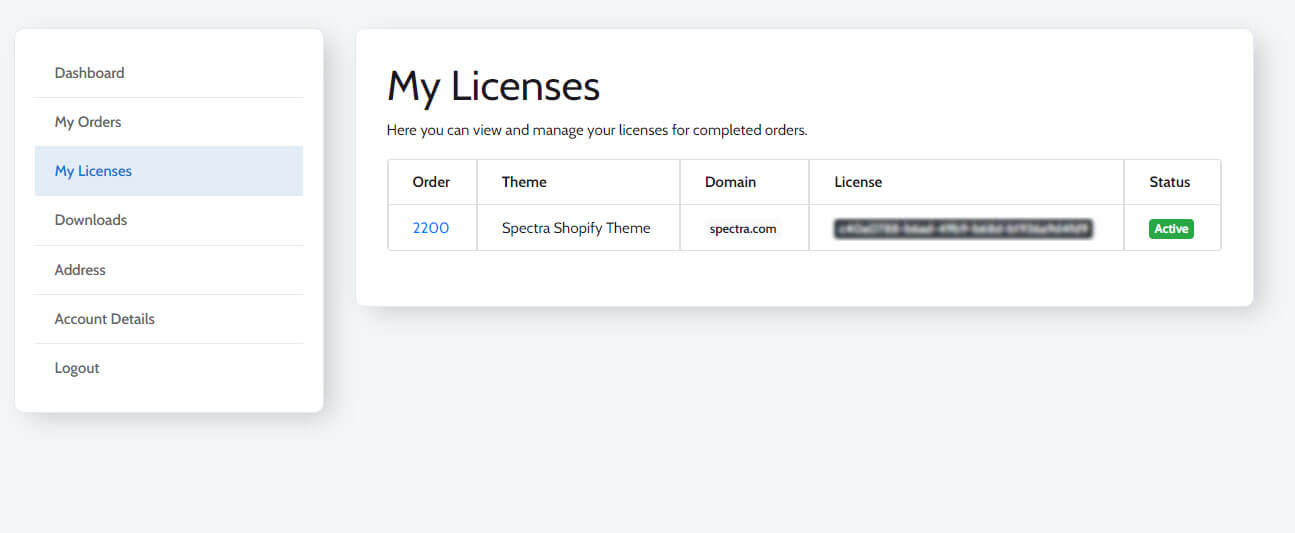
- Enter the license key provided during purchase to activate the theme.
- Congratulations! Your Spectra theme is now active and ready for customization.
