






How to Set Up Homepage?
Built-In Homepage with Spectra Theme
One of the standout features of the Spectra Shopify Theme is the ready-to-use, built-in homepage. This feature allows you to quickly set up your store without needing to design a homepage from scratch. Once the Spectra theme is activated, the pre-designed homepage is ready to go, complete with demo content to help you visualize your layout.

How It Works
- Instant Activation: After activating the Spectra theme, the homepage is automatically set up with pre-configured sections.
- Pre-loaded Demo Content: The theme comes with demo images, text, and placeholders, making it easy for you to see the design in action.
- Customizable Layout: The built-in homepage is fully customizable using the Shopify theme customizer. You can adjust the layout, sections, and content as needed.
How to Customize the Built-In Homepage
To make the homepage your own, all you need to do is replace the demo content with your store’s branding.
1. Access the Shopify Theme Customizer:
-
- Navigate to Online Store > Themes > Customize from your Shopify admin panel.
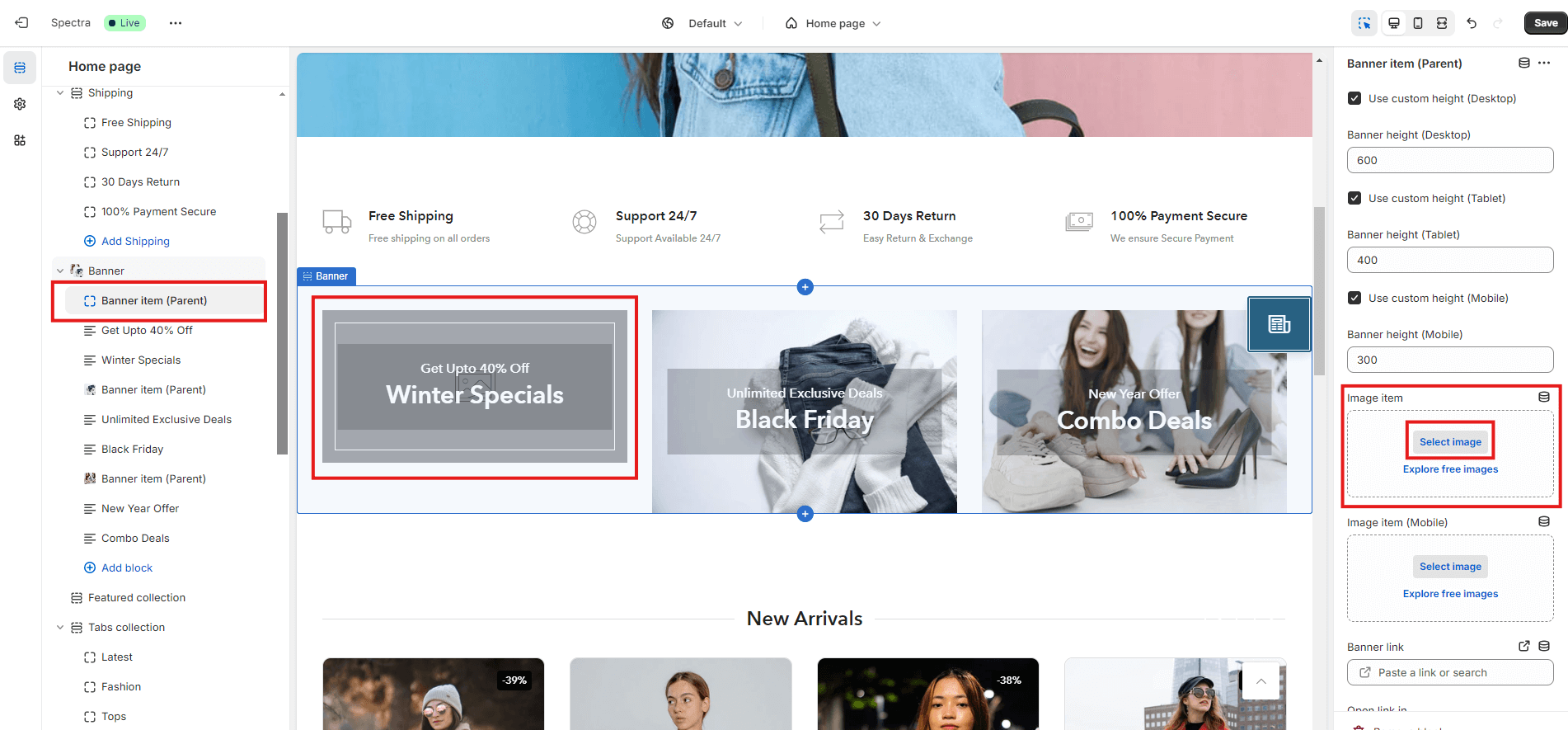
2. Replace Demo Images:
-
- In the customizer, go to each section with demo images (e.g., hero slider, featured products, etc.).
- Click on the demo image and upload your own product or brand images.
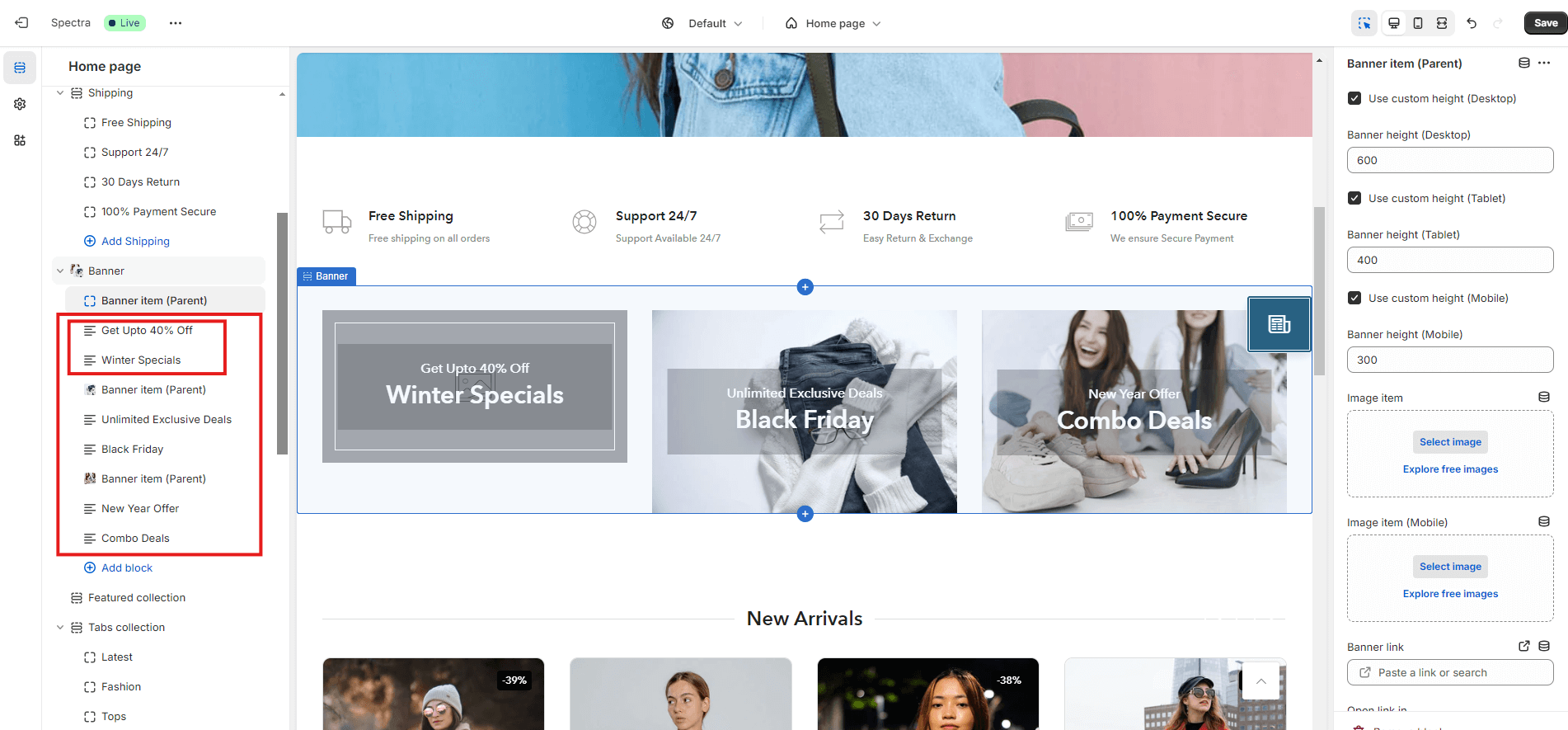
3. Update Text:
-
- Replace placeholder text with your own messaging. Customize headlines, subheadings, and CTA buttons to reflect your store’s offers.
4. Adjust Layout (Optional):
-
- The theme’s drag-and-drop interface allows you to rearrange sections or remove those you don’t need.
- Add new sections such as product grids, testimonials, or promotional banners if desired.
